How to Add a Signature to a PDF on Your Phone or Computer
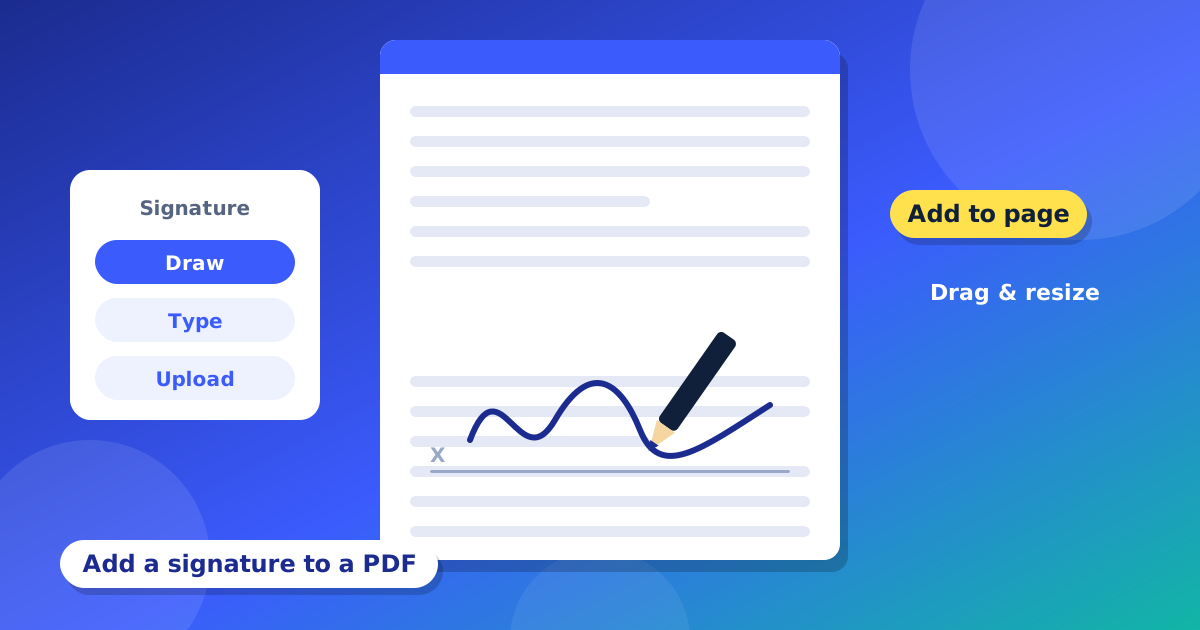
Many forms need a signature. In the past, you had to print the paper, sign it with a pen, and scan it again. Now you can sign a PDF in a few minutes without paper. This guide shows you how to add your signature to a PDF for free, on your phone or your computer.
Three ways to make your signature
The PDF Editor gives you three choices:
- Draw: use your finger, a mouse or a pen to draw your name. This looks the most real.
- Type: type your name and pick a handwriting style.
- Upload: take a photo of your signature on white paper and upload it. You can turn on "Remove white background" so only the ink stays.
Step by step
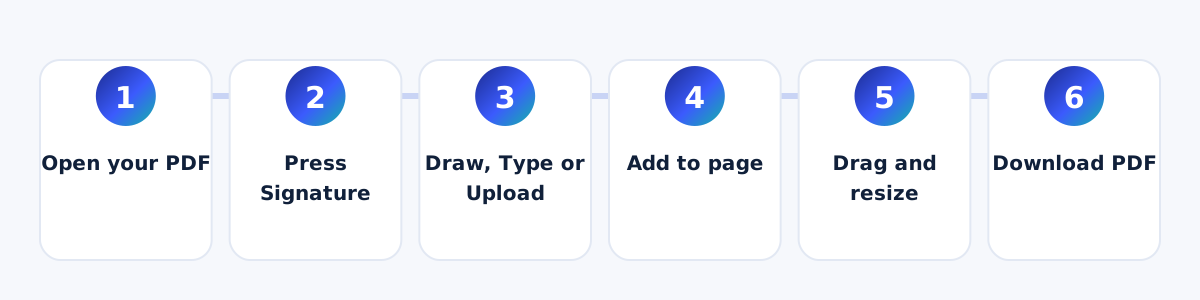
- Open your PDF in the editor.
- Press the "Signature" button.
- Choose Draw, Type or Upload, and make your signature.
- Press "Add to page". Your signature comes on the page.
- Drag it to the right place. Pull the corner to make it bigger or smaller.
- Press "Download PDF".
Save time next time
The editor can save your signature on your own device. Next time, you can pick it from the list and place it in one tap. It is saved only in your browser. If you clear your browser data, it will be gone.
Signing on a phone
On a phone, the tools are in a bar at the top. Slide the bar to the left to find "Signature". Draw with your finger. The edit options come up from the bottom of the screen. Use two fingers to zoom if you need to place the signature in a small box.
Good to know
- A signature picture is not the same as a digital certificate signature. Some offices need a special certificate. Ask them what they accept.
- Keep a copy of your first file.
- Do not share your signature picture with people you do not trust.
When do you need to sign a PDF?
- A job form or a school form.
- A rent paper or an agreement.
- A leave letter or a permission letter.
- An invoice or a bill that needs your sign.
Tips for a nice-looking signature
- If you draw it, zoom in first. A bigger space gives a smoother line.
- Use a thin pen or your finger, and move slowly.
- If you upload a photo, write on plain white paper with a dark pen, in good light.
- Place the signature on the line, and do not cover other words.
- Make it about the same size as the words near it.
Common problems and easy fixes
- My signature has a white box around it. When you upload, turn on "Remove white background".
- My drawing looks shaky. Press "Clear" and draw again, slowly.
- The signature is too big. Pull the corner to make it smaller.
- I want to sign many pages. Place the signature on one page, then go to the next page and place it again from your saved list.
Questions and answers
Is this signature legal?
It depends on the country and the office. Many places accept a signature picture, but some need a special digital certificate. Please ask the office that gave you the form.
Is my signature uploaded?
No. It is used in your browser. If you save it, it stays in your own browser.
Can I sign on my phone?
Yes. Draw it with your finger.